[·]Picture Lock Request early access
How it works

You tell it once. You say yes.

Everything between is the software’s.

The same story, as a film it made about itself. 5 lines, 24 seconds, no footage.
Your side of it

A free interview, a dashboard,
and somewhere to ask.

The interview is free and comes before you join: you leave with a concept, a plan and a roadmap. Shown for a sample café.

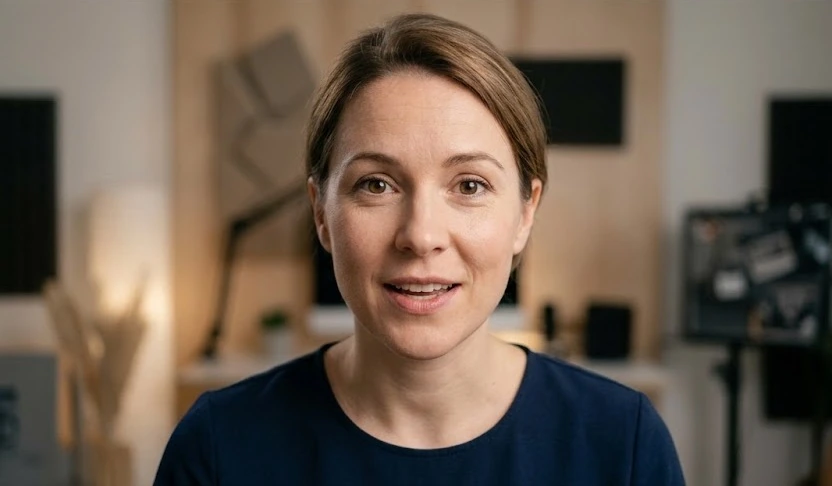
An AI-generated presenter, looking at the camera as if in the middle of a sentence AIAI interviewer SCYou

What is the business, and what does it sell?Who buys from you?How should your videos sound?Paste your website address and I read the name and colours from it.

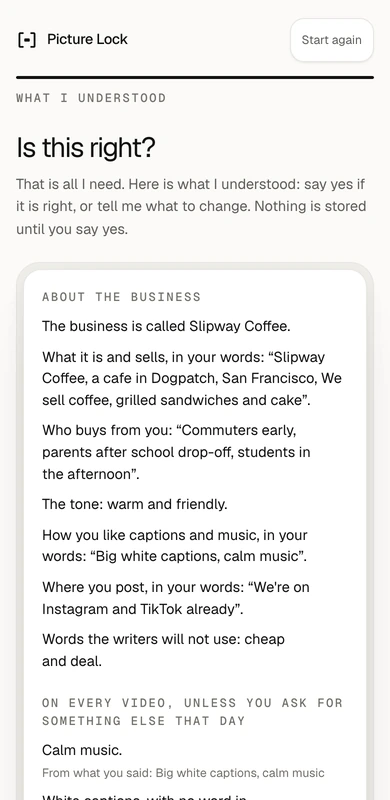
Your brain what it read back to a sample café6 of 6 learned
  • Sells“A cafe in Dogpatch, San Francisco. We sell coffee, grilled sandwiches and cake”
  • Buyers“Commuters early, parents after school drop-off, students in the afternoon”
  • Tonewarm and friendly
  • NameSlipway Coffee
  • Every video“White captions, calm music, videos under 20 seconds”
  • Never sayscheap and deal

This is rightStored as your brain, version 1.

  • It asks.
  • It reads back.
  • You leave with a plan.
What you take away, free
  • Your conceptThe angle for your business: what to say, and who to say it to.
  • Your planWhat to make and post, week by week.
  • A free roadmapThe steps to grow online, yours to keep whether or not you join.
  • Your dashboard, readyYour answers set it up around your business before you arrive.

Free, before you joinYou talk to it on a call. It asks about your business and for videos and accounts you like, and the engine studies what makes them work. The concept, the plan and the roadmap are yours to keep either way.

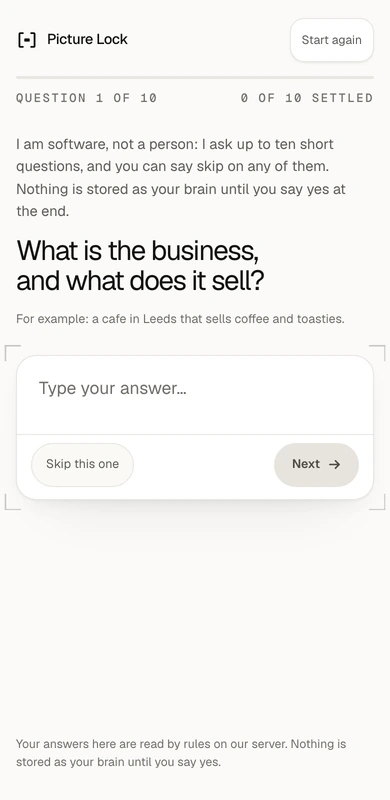
The interview real screens: a question, then the read-back
The interview's first question, as the app draws it on a phone: What is the business, and what does it sell? The interview's read-back for a sample cafe: what it understood, and a button that says This is right
The real dashboard and the engine’s real output, shown with a sample café and sample activity.
  1. 01Approve

    A video, waiting for you

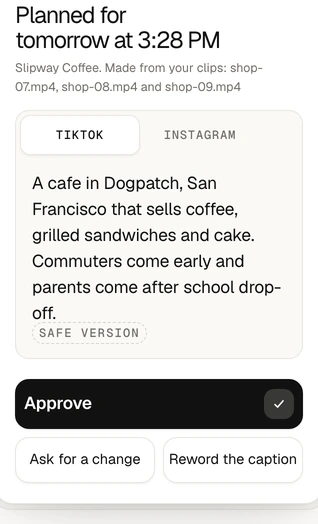
    Approve it, ask for a change, or reword the caption.

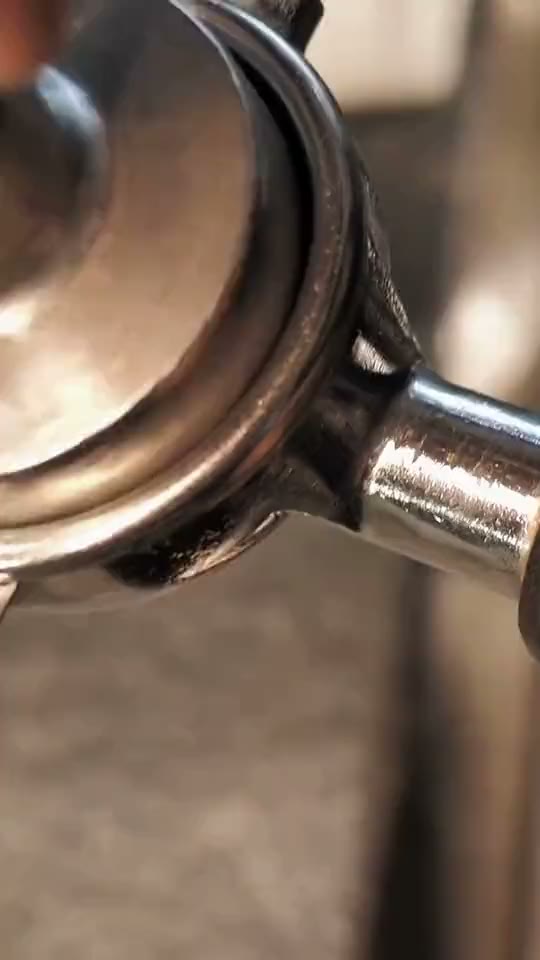
    The sample café’s reel, as the engine returned it: ground coffee in a portafilter, close upA waiting video in the dashboard: planned for tomorrow, with its caption for TikTok and the buttons Approve, Ask for a change and Reword the caption
  2. 02Change

    Ask for a change

    Say what should change, in a sentence.

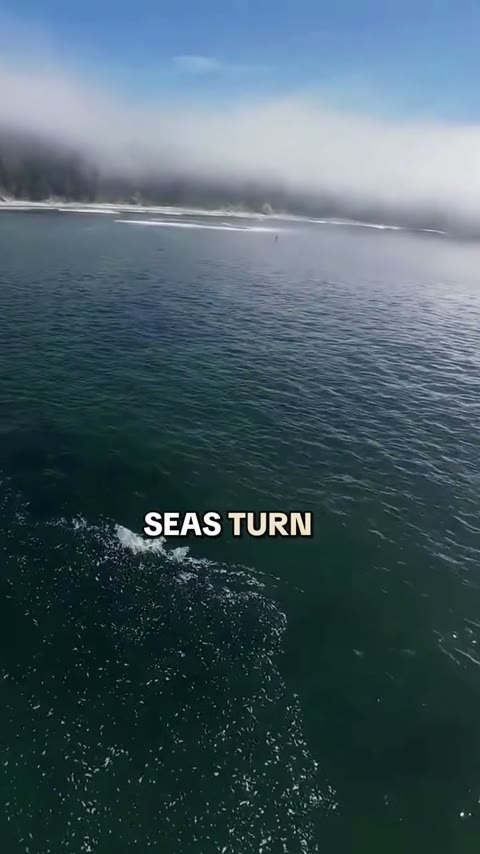
    A frame of the narrated film as first asked for: the sea from above, with the caption SEAS TURN on itAsked for once

    Asked for again, with 2 words moreno captions

    The same frame of the film as asked for again with the words no captions: the sea from above, with nothing written on itMade again
  3. 03Captions

    A caption for each platform

    Written for you. Reword it in the box.

    TikTokOpen from 6 for commuters, parents and students in Dogpatch…#SlipwayCoffee #DogpatchSF #Coffee

    InstagramOpen from 6. Coffee, grilled sandwiches and cake in Dogpatch. For commuters, parents and students…#SlipwayCoffee #Dogpatch #SanFrancisco #Cafe

  4. 04Coming up

    What is coming up

    Once you approve, a video waits for its time. Then it will go out on your accounts.

    1. Mon

      We're closed Mondays. That's it.

    2. Tue

      Coffee, grilled sandwiches and cake, open from 6, closed Mondays.

    3. Wed

      Coffee, grilled sandwiches and cake at a cafe in Dogpatch.

    4. Thu

      We are closed Mondays.

    5. Fri
    6. Sat
    7. Sun
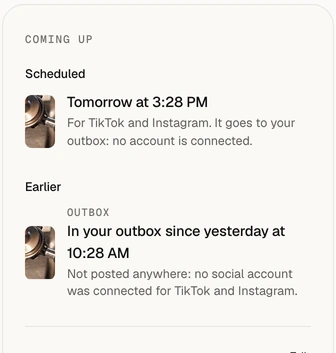
    The dashboard's Coming up panel: one video scheduled for tomorrow, and one in the outbox since yesterday, not posted anywhere because no account was connected
  5. 05Brand

    It keeps your brand

    Your tone, your buyers and the words you never say, on every video.

    • Slipway Coffee
    • Colourgreen
    • ToneWarm and friendly
    • BuyersCommuters early, parents after school drop-off, students in the afternoon
    • Musiccalm music
    • Captionsplain white captions
    • Length20 seconds
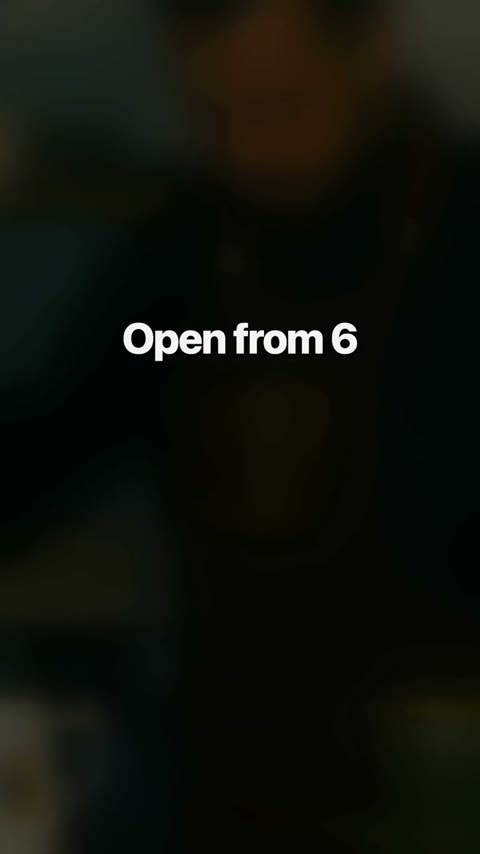
    • End card“Open from 6”
    • Never sayscheap
    • Never saysdeal
    The last frame of the sample café’s reel: an end card that says Open from 6
  6. 06Ask

    Somewhere to ask

    Its own answers. It says when it has none.

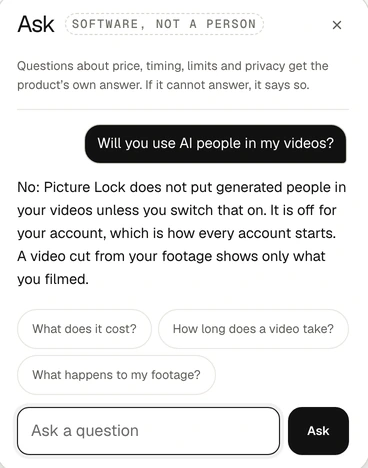
    The dashboard's Ask panel, marked Software, not a person: asked whether it will use AI people in the videos, it answers that generated people are off unless you switch them on
The flow

From hello
to posted.

The path your business travels. Where a step has run for the sample café, its real output is shown.

  1. Websitenow
  2. Receptionistnow
  3. New customersnow
The file this run madejob j_1fbf77ac, tall
01

Says hello

server/onboard.py

Its first questionWhat is the business, and what does it sell?

02

Learns

POST /v1/onboard, 2026-10-12 12:28

After 10 answers, it saidThat is all I need. Here is what I understood: say yes if it is right, or tell me what to change. Nothing is stored until you say yes.

  • It understoodThe business is called Slipway Coffee.
  • It understoodWhat it is and sells, in your words: “A cafe in Dogpatch, San Francisco. We sell coffee, grilled sandwiches and cake”.
  • It understoodWho buys from you: “Commuters early, parents after school drop-off, students in the afternoon”.
  • It understoodThe tone: warm and friendly.
  • It understoodHow you like captions and music, in your words: “White captions, calm music, videos under 20 seconds”.
  • It understoodWhere you post, in your words: “Instagram and TikTok”.
  • Kept as rulesOn every video, unless you ask for something else that day: calm music; white captions, with no word in another colour; about 20 seconds long; cut for Instagram Reels and TikTok; an end card that says “Open from 6”.
03

Plans

POST /v1/plan/week, 2026-10-12 12:28

Told one line about the businessA cafe in Dogpatch, San Francisco that sells coffee, grilled sandwiches and cake. Commuters come early, parents after school drop-off and students in the afternoon. Open from 6. Closed Mondays. Order ahead on the app or just come in.

The opening lines it planned, a day each
  • Monday“We're closed Mondays. That's it.”
    The angle: Built from your days..
  • Tuesday“Coffee, grilled sandwiches and cake, open from 6, closed Mondays.”
    The angle: Built from what you sell and your days..
  • Wednesday“Coffee, grilled sandwiches and cake at a cafe in Dogpatch.”
    The angle: Built from what you sell..
  • Thursday“We are closed Mondays.”
    The angle: Built from your days..
04

Makes

job j_1fbf77ac

Sent with 6 clipsmake this a calm reel for my cafe, 12 seconds, add an end card that says ‘Open from 6’

What it answeredI'll cut it with: your own end card. Length: 12 seconds.

I joined a piece from the middle of 6 of your 6 clips into one 12-second montage (about 2 seconds each; with music on, each change of shot is moved onto the nearest beat). Reason: 6 clips, none longer than 25 seconds: these are shots. The montage is wide, because all 6 clips were filmed wide.

The 19 stages this job passed through, with the seconds each took
  1. ingest20.7 s
  2. transcript0 s
  3. pick2.5 s
  4. music2.3 s
  5. cut8.9 s
  6. stabilise22.8 s
  7. reframe39.5 s
  8. denoise1.9 s
  9. craft0.3 s
  10. grade33.3 s
  11. broll0 s
  12. captions0 s
  13. overlays21.7 s
  14. audio3.2 s
  15. master0.3 s
  16. export64.3 s
  17. gate26.1 s
  18. qa1.3 s
  19. deliverables2.3 s
05

Checks

job j_1fbf77ac
Measured on the tall fileFoundLimitResult
Picture against our own master97.295 or morepass
Structure against our own master0.9950.97 or morepass
Size1080 by 1920exactpass
Loudness−14.2 LUFS−14, give or take 1pass
Length against what was asked13.1 s12 s, give or take 1.2pass

Passed, and handed over. It also wrote 5 notes on the job that are not stops, such as: “The opening line is not on screen from the first frame.” Blown highlights were noted on the wide file: 3.0% of the frame, against a mark of 1%.

06

Waits for you

POST /v1/publish/captions, job j_a74a138a

It wrote a caption for 5 platforms. The opening of three of them

  • TikTokOpen from 6 #openfrom6 #business #video
  • InstagramOpen from 6
  • YouTubeOpen from 6 #Shorts Open from 6.

Waiting for your yes. Nothing has been posted. Once you approve, it will go out on your accounts. In a second run for the same café, the queue held its video at “review”, and moved it to “scheduled” when the yes was sent.

07

Goes out

on your accounts

Once you approve, a video waits for its time, then goes out on your accounts: TikTok, Instagram, YouTube, Facebook and LinkedIn.

08

Keeps watch

what is coming up

It shows you what is coming up, and what it plans to make next.
The rule

Nothing is posted
without your yes.

Approve it, reword the caption, or ask for a change. Approval is on unless you switch it off yourself.

Your brand

It learns your brand

Your notes are kept with your account, by version. This is a sample client’s notes, and what the engine understood from each line.

  • We always put captions in yellow.white captions, key word yellow
  • Always end with: Open from 6.an end card that says “Open from 6”
  • Keep our videos under 20 seconds.20 seconds
  • We post on TikTok and Reels.cut for Instagram Reels and TikTok
  • Words to avoid: cheap, deal.never written: cheap, deal

Read by rules, with no model, so the same notes give the same reading every time. A request you make for one video wins over a standing note.

Your brand

It never forgets what you told it

What you tell it is kept with your account, by version, and laid onto each new video. From your notes it keeps:

  • your name
  • who you sell to
  • what you offer
  • your tone
  • words to use
  • words to avoid
  • examples that worked

And your standing choices, like the ones beside this.

Around the clock

It does not keep
office hours.

Software has no shifts and no leave. Here is what one day with it looks like.

An example day, not a record of one
  1. It cuts tomorrow’s reelFrom the clips you sent, to your standing notes: your colours, your end card, your length.
  2. It measures the finished filesPicture, sound and length, against what you asked for. A file that fails is held back, never handed over.
  3. The video is waiting for youWith a caption written for each platform. Nothing has been posted.
  4. You ask for a bigger titleIn a sentence, from your phone. The change is queued and a new file is made.
  5. You approveThe video goes out on your accounts.
  6. You have a questionAn assistant answers, at any hour.

Start with the interview.
The founder will call.

Picture Lock is pre-launch and launching soon. Leave your details and the founder will call you.